Geek Lands: coding

A fresh blog on latest technology and programming trends for the Geeks by a Geek.

Recent Posts

Showing posts with label coding. Show all posts

Saturday, August 5, 2017

New Developer? You should’ve learned Git yesterday.

August 05, 2017 0
New Developer? You should’ve learned Git yesterday.
Source control is essential for any software project that has more than 3 files. Many new developers maybe not aware of source control or just ignore it at the beginning of their journey to become a great Software developer. A brief intro to what source control or version control is here. There are a lot of source control software CVS, Git, SVN, Mercurial and Bazar with centralized or distributed model. Git being a more popular version control software and Github is similar to Facebook for developers where social coding happens! So all new developers should learn Git and push code to GitHub every day. Knowledge of git provides an edge to any newbie developer and on of the desired skill in any software development company of any size. Check my other article on tips to become a better developer.


What is Git?

As I have mentioned earlier Git is a Version Control System (VCS). To explain on a very basic level, there are two awesome things a VCS helps you to do: You can track changes in your files, and it simplifies working on files and projects with multiple people which is known as distributed coding or social coding. There are multiple Version Control Systems, but Git is by far and large the most popular — both for individual and company use, yes git is been used by a lot of large tech companies ranging from Facebook to Uber .

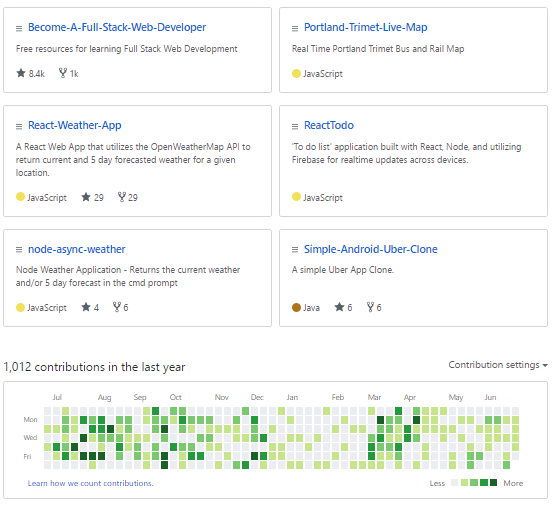
On the other hand, GitHub is a web based Git repository. It provides a free and easy place to use Git, the cloud to store your code in, and it allows you to interact with other developers on Open Source projects.

Why use Git & GitHub?

Here are seven reasons you should be using Git and GitHub:

1. Centralized cloud storage of your code.

Your code is always available to you. No matter what computer your using, or where you are. Hard Drive failure? No problem. All your code is backed up in cloud you can just run a single command to copy them to any computer.

2. Version Control.

Every version of your code is also available to you. Git doesn’t work the same way as saving does in Microsoft Word. With Git, every time you commit your code, Git remembers what has changed since the last time you saved your code. Even if you’ve changed a file 1000 times, Git will remember each and every change. Need to revert back three months on a project for some reason? Git makes it easy and also saves you from the embarrassment when to delete you local copies or have added a feature which crashed whole application.


3. Working in teams.

Git simplifies the process of working with other people and makes it easy to collaborate on projects. Team members can work on files and easily merge their changes in with the master branch of the project. This allows multiple people to work on the same files at the same time. Git also allows you and your team to branch out from master where you can experiment with a new feature or new functionality to your application and if it works merge it to the master application branch.

4. Get involved / Open Source.

GitHub is a basic social networking site that makes it easy for even beginners to contribute to large projects and get involved in the open source community. You can meet other developers, ask questions about their code, and propose code changes. By using GitHub regularly you can learn how to work well in a development team environment.

5. Improving your code.

GitHub allows you to look back on code you wrote in the past. You’re able to look at projects from years ago and make them better, or just see how you’ve been progressing. This will boost your productivity and enhance your coding skills.

6. Show off

GitHub is a great way to get noticed — Show off your code and your projects! Especially if you’re a self taught developer, GitHub provides you a way to prove to recruiters and companies that you can program.

7. You’re gonna need it anyway

Companies and Technologies around the world use Git: Amazon, Facebook, LinkedIn, Yahoo, Microsoft, Netflix, Rails, Android, Linux and Zendesk — just to name a few. Learn Git and become more hire-able. (source)

How to learn Git

15 minutes is all it takes to learn the basics of Git. Here’s an awesome (free!) interactive tutorial sponsored by GitHub where you can learn all of the basics: try.github.io
GitHub also offers free training and additional learning resources in their documentation here.
Between those two links above, you should easily be able to learn and master the basics of GitHub in just a couple hours.

Closing Notes

Just learn Git. You won’t regret it. You’ll have the basics down in 15 minutes, and within a couple hours you can be making pull requests to open source projects. So keep coding and keep pushing code to your github repo!


Wednesday, August 2, 2017

7 Best Coding Playgrounds for Web Developers

August 02, 2017 0
7 Best Coding Playgrounds for Web Developers


Front-end code playgrounds

Over the years a variety of front-end coding playgrounds have appeared. The majority offer a quick and dirty way to experiment with client-side code and share with others. Typical features include:
  • color-coded HTML, CSS and JavaScript editors
  • a preview window — many update on the fly without a refresh
  • HTML pre-processors such as HAML
  • LESS, SASS and Stylus CSS pre-processing
  • inclusion of popular JavaScript libraries
  • developer consoles and code validation tools
  • sharing via a short URL
  • embedding demonstrations in other pages
  • code forking
  • zero cost (or payment for premium services only)
  • showing off your coding skills to the world!
The best feature: they allow you to test and keep experimental front-end code snippets without the rigmarole of creating files, firing up your IDE or setting up a local server. Here are seven of the best.
If, on the other hand, you’re curious about online code playgrounds that will let you share back-end code too, head over to James Hibbard’s A Round up of Online Code Playgrounds for more information.

JSFiddle

JSFiddleJSFiddle was one of the earliest code playgrounds and a major influence for all which followed. Despite the name, it can be used for any combination of HTML, CSS and JavaScript testing. It’s looking a little basic today, but still offers advanced functionality such as Ajax simulation.


CodePen

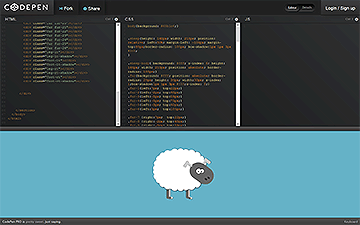
CodePenThe prize for the best-looking feature-packed playground goes to CodePen. The service highlights popular demonstrations (“Pens”) and Projects, which is an online Integrated Development Environment you can use to build and deploy web projects, a feature only added in March 2017. It offers advanced functionality such as sharing and embedding of Pens, adding external JS and CSS libraries, popular preprocessors, and tons more. The PRO service provides cross-browser testing, pair-programming and teaching options starting from just $9 per month.

CSS Deck

CSS DeckThis may be named CSS Deck, but it’s a fully-fledged HTML, CSS and JavaScript playground with social and collaboration features. It’s similar to CodePen (I don’t know who influenced who!) but you might prefer it.


JS Bin

JS Bin

JS Bin was started by JS guru Remy Sharp. It concentrates on the basics and handles them exceedingly well. it also offers a handy JavaScript console. Recommended.


Dabblet

DabbletAnother early playground, Dabblet started life as an HTML5/CSS3 demonstration system by Lea Verou with JavaScript facilities. It looks gorgeous and autoprefixes all your CSS if needed.

Plunker

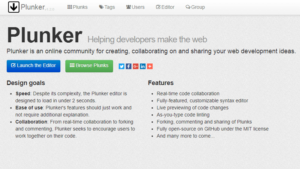
Fron-end Code Playgrounds: PlunkerPlunker lets you add multiple files, including community generated templates, to kick-start your project. Just like CodePen, with Plunker you can create working demos, also in collaboration with other devs, and share your work. Plunker’s source code is free and lives on its GitHub repository.

Liveweave

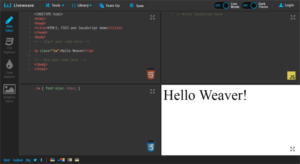
Liveweave Code PlaygroundLiveweave is one more online HTML5, CSS3 & JavaScript editor with live preview capabilities. It offers code-hinting for HTML5, CSS3, JavaScript and jQuery and lets you download your project as a zip file. You can also add external libraries such as jQuery, AndgularJS, Bootstrap etc. quite easily in your workspace. Furthermore, Liveweave offers a ruler to help you code responsive designs and a “Team Up” feature which has the same features as JSFiddle’s collaborative editing.
I guess I missed your favorite? Let me know in the comments!

Tuesday, July 25, 2017

10 tips for becoming a better programmer

July 25, 2017 0
10 tips for becoming a better programmer


Skilled programmers remain highly valued in the tech world: Developer jobs are typically some of the hardest to fill, and the demand for these types of professionals doesn't seem to be slowing down.
However, both new programmers and industry veterans face several struggles in a world of rapidly-changing technologies, making it increasingly difficult to stay relevant in the field and move up the career ladder, according to Dan Vassallo, a web developer at Vydia. "Newbies and long term hackers alike are constantly striving to perfect the newest hot technology and add another skill to their LinkedIn profiles," he said. "Sometimes this is a good thing, and other times it can have a negative effect."

Here are 10 tips for becoming a better programmer to help you enhance your career opportunities.

1. Let your soft skills do the magic

Interpersonal skills including communication, empathy, and humor are key to setting yourself apart from other qualified programmers when it comes to building a career and moving up the ladder, according to executive coach Debra Benton.
"Charisma, likability, and other soft skills are important," said Jim Baca, a senior Android developer and coach. "No one wants to work with uncharismatic, unlikeable people. These are skills that are just as important as tech skills—in fact, they become more important as your career progresses. These skills garner more opportunities, so don't discount them."
Learning to talk to non-programmers is also a valuable job skill, said Gregory Golinski, a programmer and SEO specialist at YourParkingSpace. "The jargon they use can be very cryptic to other team members who don't know anything about programming, Golinski said. "Programmers should always remember that most people don't know what an array or a function are."

2. Code in real-time, code often

"There is no replacement for coding solutions to real world problems and the practice that comes from these experiences," said Willie Tejada, chief developer advocate at IBM. "What you code isn't as important as coding as frequently as possible and challenging yourself."
This requires putting in the hours to improve your programming skills, said Avi Flombaum, co-founder and dean of the Flatiron School. "Don't just learn how to use something—know how it works," Flombaum said. "Spend more time learning how and why things are built as opposed to just how to use them. Always try to go one layer deeper into the most important concepts."
You can use GitHub to publicly display passing projects or exercises, and have other developers in your network review your code and provide commentary on where it can improve or how you can approach things differently, said Paul Wallenberg, unit manager of technology recruiting services at LaSalle Network.
"Programmers that are on the hunt for a new job must showcase the projects they have worked on," said Manu Singh, a mobile developer at Clearbridge Mobile. "This sets you aside from the competition and shows not only what projects you've worked on, but a deeper look at who you are, how you completed the work, and where you want to go. By putting together a portfolio of your work, you're building your personal brand."

3. Be language agnostic

Learning more than one programming language can dramatically increase career opportunities and income potential, as technology continues to evolve and new languages are developed, according to Tejada. "Language is a tool, so it is critical to learn new ones," Tejada said. It's valuable to have deep experience in a language, but it's also important to know a breadth of languages and pick the right tool for the job."

4. Make friends in Open Source circle

When you contribute to the open source community, it will empower you, Tejada said. "When you contribute to a project, pay attention to the feedback you get from users and other developers," he added. "When you give to the community, make sure you take advantage of the opportunity to receive as well."
Recognize how important it is to interact with your professional community, but also think long and hard about what you want your role to be, said Charlie Robbins, director of engineering at GoDaddy and former member of the board of the Node.js Foundation. "Rather than chasing the notoriety of a 'superstar' developer, make sure you're speaking at conferences, writing blog posts, and engaging in mentorship projects that you actually feel passionate about," Robbins said. "Exchanging ideas and learning new things from your community can help avoid burnout, but only if you're approaching it in a genuine way."


5. Enroll in a local user groups or mentorship programs online

Many user groups will offer mentorship programs, usually pairing up entry level or junior programmers with more senior users of a particular language, often for free, said Wallenberg.
"The thing that has helped me the most in becoming a better programmer has been working with highly skilled programmers," said Antony Vitillo, VR developer and owner of the VR blog The Ghost Howls. "Try to work always with people more skilled than you, this way you'll learn a lot."
This is especially important when first starting out in a programming career, said Brad Davis, IT branch manager at Addison Group. "Look for a larger team, as this ensures that you have senior developers that can help you to grow your abilities," Davis said. "Also, focus on a position where you interact face-to-face with your colleagues. While there are perks to working remote, it's difficult to develop skills without the direct support offered by on-site positions."
Pair programming with another developer is a great way to learn through instantaneous feedback, according to Alyssa Mazzina, developer marketing content writer at Stack Overflow. With this method, one participant writes code, while the other watches the work as it's done. The two switch roles every few minutes, and talk to each other throughout the process. "The practice is will likely set you up for better success as it's a fully immersive learning experience, faster integration into the team and more significant growth as a developer," Mazzina said.

istock-665241970.jpg
Image: iStockphoto/scyther5

6. Develop a side project

A side project may sound daunting, but you should consider starting one just for fun, Mazzina said. "Programming something you're passionate about is crucial to development, and by taking on a side project with no expectations other than to have fun and learn, you'll be surprised at how much you can grow," Mazzina said. "Try learning a new programming language, or build an app to sharpen your skills and broaden your ability."
GitHub is also full of projects both large and small that welcome contributions, said Cynan de Leon, head of data engineering and analytics for Mint at Intuit. "This is a great place to see if someone has already started creating your idea, and see what ways it can be improved," de Leon said. "You also get the benefit of having other people look at what you've contributed, continuing that cycle. It could be something as small as a Sudoku solver, or something as huge as a top-level Apache project. It doesn't matter; if you're passionate about it, go for it."

Check my side project where I built an audio player in NodeJS here

7. Work on a particular skill to specialize

Programming changes very quickly—often, you learn one technology, and by the next week, it's been replaced with something better, said Alex Markov, developer and founder of Refersion. "My advice is to specialize by focusing on a smaller segment of tech, such as database admin, front-end web development, etc.—then keep up with that industry, learn everything, be the best. That's how you'll win at your career," Markov said. "Employers will respect you more when you say, 'I don't know about the other stuff, but when it comes to XYZ, I got your back all the time.'"
If you're struggling to choose a language to begin with, you should pick one and learn it well, Vassallo said. "While we all need to pick up various languages on the path to becoming a programming guru, it pays to really try and shine in one field," Vassallo said. "It's totally fine to be a jack of all trades, in fact, it's welcomed. A master of none has a less than desirable skill set."

8. Take code review seriously

Code review is not just an effective way to catch bugs—it's also a great way to spark discussion and share knowledge between team members, said Tigran Sloyan, CEO of CodeFights. "As the reviewee, be receptive towards constructive criticism and take advantage of your reviewers' experience to create something better than you could have done on your own," Sloyan said. "As the reviewer, stay constructive, but use the opportunity to disseminate best practices and accumulated wisdom, or even learn something new from the code that you're reviewing."

9. Learn more about the business side

Whether you are part of a for-profit or nonprofit organization, your software is empowering a business objective, Sloyan said. Learning how your company makes money and serves customers, and the core competency it has compared to competitors, can help you uncover new approaches and improvements that will support the business side.
"Talk to your colleagues in the business departments and ask tough business questions to your senior executives," Sloyan said. "For example, if you work for an online ads platform whose core technology is personalization of ads, defining and innovating on ad relevancy algorithm will make or break your business." You can also gain the foresight to design a system that can scale with your business quickly, and identify opportunities that may not be apparent to non-technical managers.

10. Read voraciously

Many of the skills needed to be a strong developer are not taught in college, Sloyan said. But a number of books written by developers can give you practical information that may otherwise take years to learn on the job. Sloyan recommends Code Complete by Steve McConnell, Clean Code by  Robert Cecil Martin, and The Mythical Man-Month by Fred Brooks.
For beginners in the field, Flombaum recommends Learn to Program by Chris Pine, Programming Ruby: The Pragmatic Programmers' Guide by Andy Hunt and Dave Thomas, Agile Development with Rails by David Heinemeier Hansson, and Weaving the Web by Tim Berners-Lee.